Atomcraft Programmable Pixels: Filters, Sensors, Match Filters, and Gun Pixel
Build Atomcraft programmable pixels with filters, sensors, match filters, and gun pixel cells. June 2026 wiring L-corner fixes and Wrench batch config with logic gates.
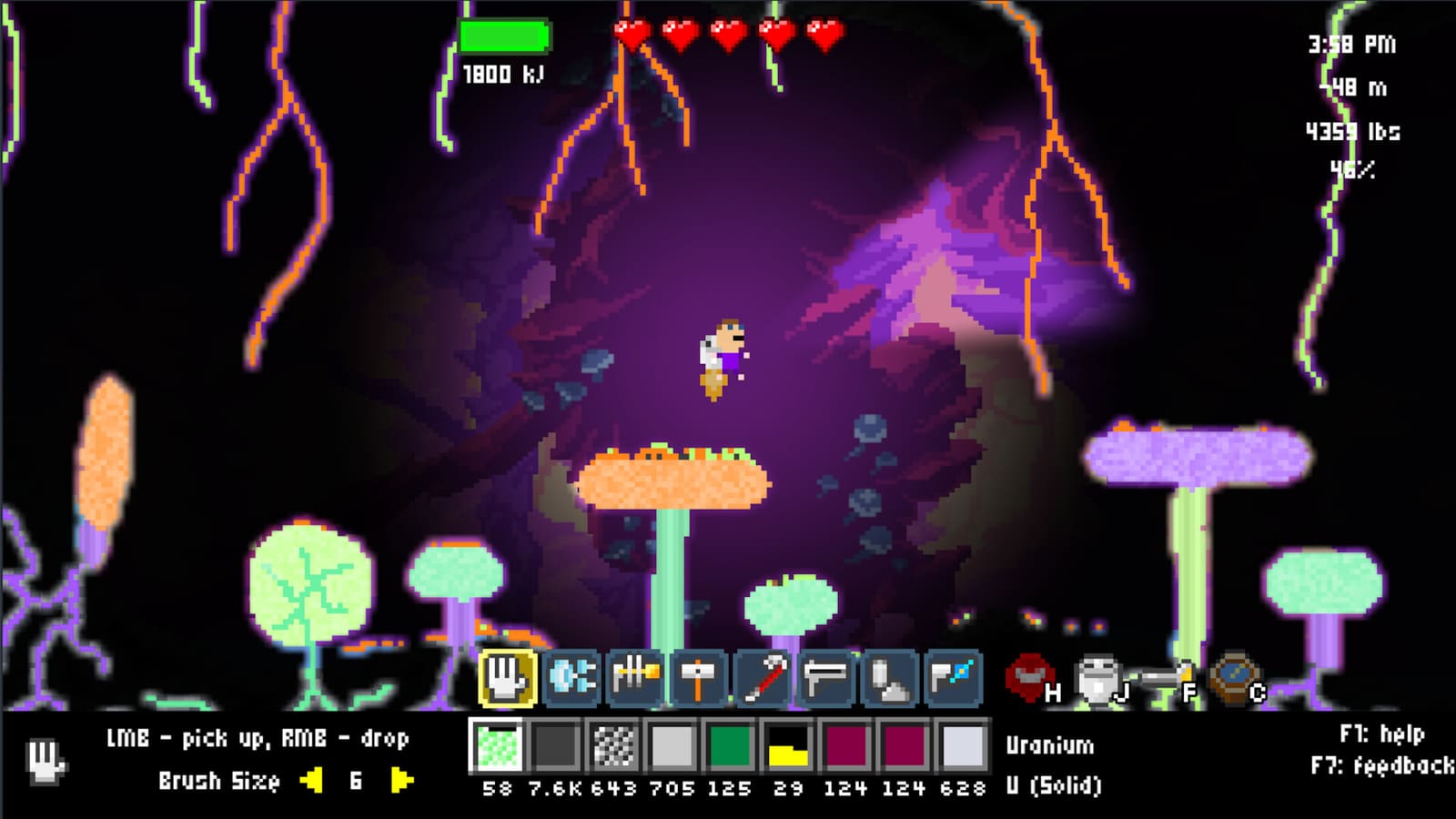
Atomcraft Programmable Pixels
Programmable pixels are Atomcraft’s configurable automation layer—mechanical cells you can teach rules instead of hard-wiring every variant by hand. The June 2026 devlog expanded them with filters, sensors, match filters, and the gun pixel, plus wiring L-corner fixes that make dense logic halls actually routable. Use the Wrench tool for batch config and wiring and logic for signal timing.
What makes a pixel “programmable”
Standard mechanical pixels move, open, or detect on fixed defaults. Programmable pixels store a behavior template: what they accept, when they fire, how they route neighbors. That template is editable with the Wrench highlight zone or per-pixel panels.
Typical programmable roles:
- Filtered gates — pass Cuprite, block slag.
- Conditional movers — advance only when a sensor downstream is empty.
- Match routers — send pattern A left, pattern B right.
- Gun pixel — emit or project pixels on timed or triggered pulses for remote feeding.
If Research Points gating blocks your menu, restore ship elements first—mechanical unlocks precede programmable tiers. See wiring and logic for the RP ladder.
Filters, sensors, and match filters
These three rule types overlap in UI but solve different factory problems.
Filters are one-way guards. They sit on belts and chutes so the wrong phase never enters a forge lip or blender mouth. Batch them with the Wrench across straight lanes.
Sensors emit signals when a condition is true—material present, chamber full, temperature band met. Wire sensors into logic gates so feeds pause when outputs clog.
Match filters compare incoming patterns to a table of routes. They power sorters that must distinguish dozens of ore colors without forty manual filter clicks.
| Rule type | Question it answers | Common placement |
|---|---|---|
| Filter | ”May this pixel enter?” | Supply belts, intake doors |
| Sensor | ”Is the condition true?” | Choke tiles, output chests |
| Match filter | ”Which exit matches?” | Sorter cores, splitters |
Gun pixel and remote feeding
The gun pixel from the June 2026 update fires pixels across a gap—charcoal into a raised forge, ore into a locked airlock, purge sand into a hazard lane. Treat it like a programmable dropper with range:
- Place gun pixel with Blueprint tool.
- Configure payload and cadence with Wrench.
- Guard the landing zone with filters so only intended materials accumulate.
- Add a button override on the firing signal.
Gun pixels shine where conveyors would require tearing through clay walls. They also pair with synchronized doors from safe reactions layouts when you must never mix reagents early.
June 2026 wiring L-corner fixes
Before the June 2026 patch, wiring around L-corners in tight logic bays often failed to connect or crossed heat lanes unpredictably. The L-corner fix lets signal trunks turn cleanly without dummy pixels or ugly detours.
Build impact:
- Logic halls can hug forge outer walls on two sides.
- Sensor buses route vertically then horizontally without dead segments.
- Fewer “it works on flat ground but not in my cave” moments.
When redesigning old bases, rip out pre-patch corner kludges and rerun trunks with the new routing rules. Cross-check how to automate machines for conveyor spacing that matches the new wiring grid.
Wrench batch config workflow
- Blueprint programmable grid and vanilla mechanical neighbors.
- Draw Wrench highlight zone over the grid.
- Apply filter, sensor, or match-filter template once.
- Wire logic gates to sensor outputs.
- Test with Left-Ctrl sample pixels and a manual button halt.
Batch config is why programmable pixels scale past hobby sorters into real factory halls. Without the Wrench, you revert to click fatigue; with it, one hall rebuild takes minutes.
Logic gates integration
Programmable pixels speak the same signal language as doors and blenders. Typical AND tree:
- Sensor A: fuel ready.
- Sensor B: output empty.
- AND gate enables mover programmable pixels.
- NOT gate on emergency button cuts power to the whole branch.
Build truth tables on paper before hazardous chemistry. Test gates with harmless water and dust pixels, then promote the same layout to acid or nitroglycerin-class cells covered in safe reactions.
Watch: programmable automation in action
Mid-build, compare your sorter routing and sensor placement with a working reference.
Layout template for a programmable bay
- Input trunk — filtered supply belts with Wrench batch filters.
- Sorter core — match filters on programmable routers.
- Logic mezzanine — sensors, logic gates, wiring spine on cool side.
- Output arms — filtered chutes to storage or reaction cells.
- Kill switch — button on main bus before the bay touches dangerous reagents.
Keep the wiring spine away from forge heat; programmable pixels cook just like vanilla mechanical ones.
Debugging programmable cells
- Nothing routes — confirm RP unlock, Wrench template applied, wiring completes after L-corner turns.
- Wrong material at output — match filter table typo; retest with Left-Ctrl samples.
- Gun pixel overshoots — landing zone too small or missing filter on the target pile.
- Oscillating gates — sensor and gate delay mismatch; add a delay cell.
- Works flat, fails in cave — revisit June 2026 corner routing; rebuild trunk without pre-patch workarounds.
Related builds
- Wrench tool — batch filters, sensors, highlight zones.
- Wiring and logic — doors, blenders, timing.
- Safe reactions — hazardous chemistry isolation.
Programmable pixels are how Atomcraft factories learn rules instead of memorizing layouts. Start with one filtered belt, add sensors and logic gates, then grow into match-filter sorters and gun-pixel feeds once the June 2026 tooling feels natural.
Frequently Asked Questions
Quick answers tied to this page.
What are programmable pixels in Atomcraft?
Configurable mechanical cells that store behavior templates for filters, sensors, routing, and gun-pixel firing—editable with the Wrench highlight zone.
What changed for wiring in June 2026?
L-corner fixes let signal trunks turn cleanly in tight logic halls without dummy pixels or dead segments.
What is the gun pixel used for?
It projects or emits pixels across gaps for remote feeding—charcoal into raised forges, ore into airlocks, or purge material into hazard lanes.
How do match filters differ from simple filters?
Simple filters block or allow one material class; match filters route many input patterns to specific outputs for sorter cores.
Do programmable pixels replace logic gates?
No. Sensors on programmable pixels feed logic gates; gates combine conditions that enable movers, doors, and gun pixels.