Survival Mode in Atomcraft
New challenge mode added August 16, 2026: slimes, food, Jetpack upgrades, and harder survival pacing
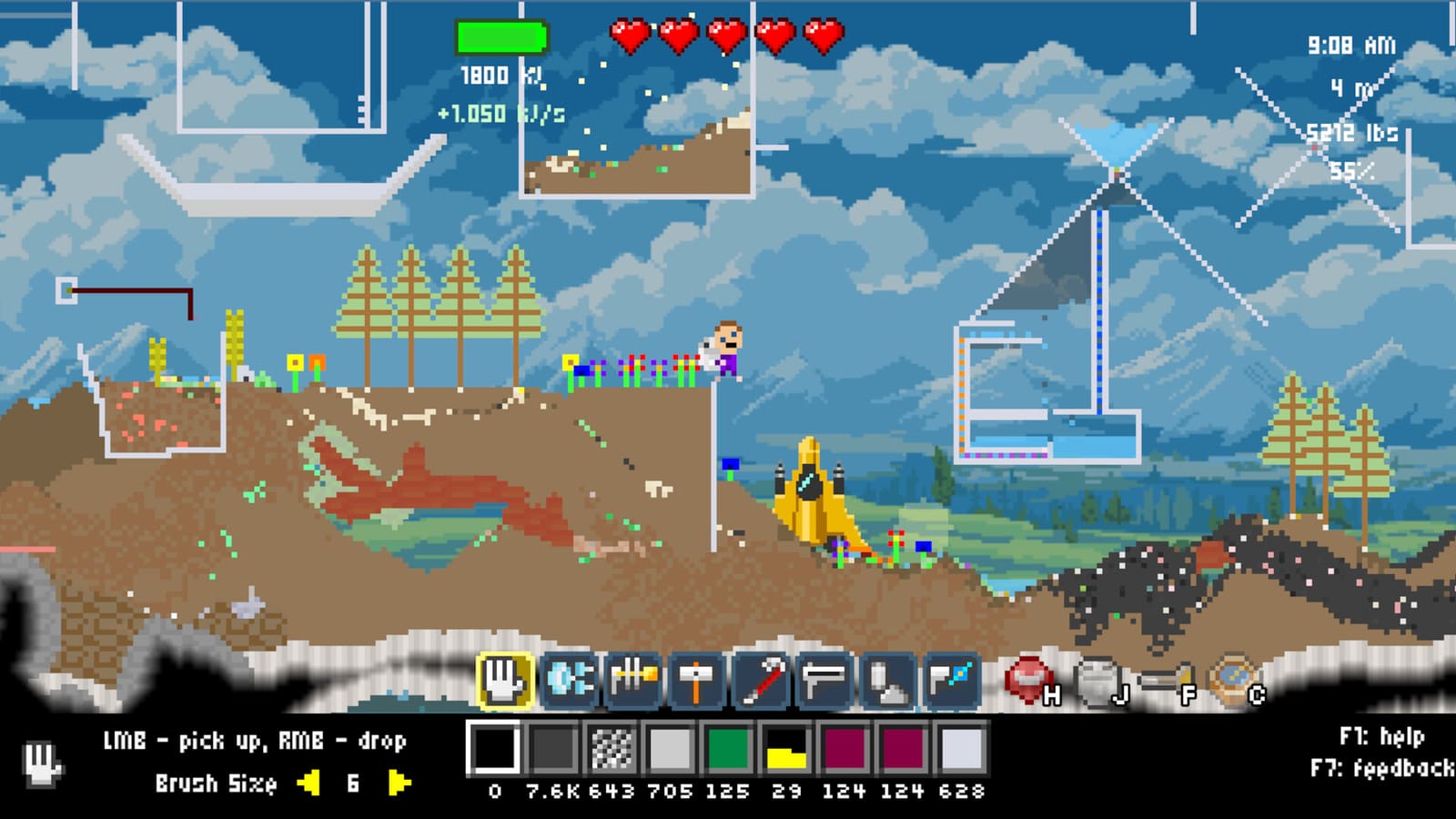
Survival Mode in Atomcraft
Survival Mode was added to Atomcraft in the August 16, 2026 update (Build 24759472) alongside the Cow Update. It represents a fundamental shift in how the game plays compared to the base Normal Mode experience — which was renamed from the original “Survival Mode” that existed in earlier builds.
This page covers what Survival Mode adds, how it differs from Normal Mode, what has changed since launch, and how to approach it as a new or returning player.
What Is Survival Mode?
Survival Mode is a separate game mode that layers additional challenge systems on top of Atomcraft’s core sandbox chemistry and progression. It is not just “harder difficulty” — it introduces new mechanics that do not exist in Normal Mode.
When you start a new save in Survival Mode, you face:
- Increased slime spawns on the surface — more combat from the first hour
- Regular food consumption — you must eat to survive, not just for convenience
- Raw pixel eating — certain uncooked pixels can be consumed directly
- No safety net — the mode expects you to manage hunger alongside chemistry
Normal Mode remains the relaxed sandbox experience and was rebranded as such after the August update. Survival Mode is for players who want the full survival tension alongside Atomcraft’s chemistry depth.
Key Differences: Survival Mode vs Normal Mode
| Feature | Normal Mode | Survival Mode |
|---|---|---|
| Food required | No | Yes — regular eating mandatory |
| Surface slime spawns | Standard | Increased — more combat |
| Jetpack upgrades | Not available | Available via Survival Mode skill tree |
| Raw pixel consumption | No | Yes — some pixels edible uncooked |
| Achievement support | Full | Full (separate from Normal Mode) |
| Combat intensity | Moderate | Higher from the start |
Food Mechanics in Survival Mode
Managing food is the defining challenge of Survival Mode. Unlike Normal Mode where eating is optional, Survival Mode requires you to maintain a food meter. The game provides several paths:
Direct Pixel Eating
Some raw pixels can be eaten without cooking. This is the fastest emergency food source but comes with trade-offs:
- Fruit and plant pixels — often edible directly
- Meat pixels from killed creatures — can be consumed raw
- Crop pixels — depend on the crop type
The advantage is speed: you do not need to set up a kitchen. The disadvantage is lower hunger restoration and potential side effects from some raw materials.
Cooking System
The full cooking system from the July 8, 2026 update works in Survival Mode. Building a cooking setup gives you:
- Higher hunger restoration per meal
- Buff effects from certain recipes
- Better food economy — cooked food stretches your supply further
For details on the cooking system, see How to Cook Food.
Farming for Survival
Cows, chickens, and crop pixels become significantly more important in Survival Mode. Establish a food production chain early:
- Plant crops on prepared soil (Dirt or Loam)
- Consider the Cow Update additions (August 8, 2026) — cows produce milk and can be used for cooking chains
- Set up automated farming where possible to maintain supply without constant micromanagement
See Farming and Crops for the full farming guide.
Slime Spawn Changes
Slimes in Survival Mode spawn more frequently on the surface biome compared to Normal Mode. This means:
- First hours are more dangerous — do not dig without a food buffer
- Early combat is mandatory — you will fight slimes while gathering starting materials
- Resource competition — slimes consume some surface resources, adding urgency to securing your base
Prepare by farming initial food before your first major dig session.
Jetpack and Survival Mode Upgrades
The August 16, 2026 update introduced a set of Survival Mode-specific upgrades accessible through the skill tree:
- Jetpack — limited duration flight, initially short range
- Survival-only skill tree — unlocks starting around the third underground biome
- Extended duration upgrades — the Jetpack gets longer with investment
These upgrades are unique to Survival Mode and do not appear in Normal Mode. This gives dedicated Survival Mode players meaningful progression that Normal Mode players do not access.
The Jetpack is particularly valuable in Survival Mode because surface slime density makes ground travel riskier, and underground exploration without flight can be more dangerous.
Wire Block Changes in Survival Mode (August 17 Hotfix)
The August 17, 2026 hotfix made an adjustment specific to Survival Mode:
Wire-blocks now allow materials to pass through vertically or horizontally, but block on diagonals — the diagonal passage was creating confusing situations with ways that people expected material flow.
This is a quality-of-life fix for automation in Survival Mode. If you were having trouble with material flow through wire-blocked areas, the August 17 fix should resolve diagonal material routing confusion.
Video: Survival Mode Announcement
Should You Play Survival Mode?
Survival Mode is worth trying if:
- You have completed Normal Mode and want a new challenge
- You enjoy survival-crafting games with real stakes
- You want the Jetpack and Survival Mode exclusive upgrades
- The idea of managing food alongside chemistry appeals to you
Stick with Normal Mode if:
- You prefer a relaxed sandbox without time pressure from hunger
- You are new to Atomcraft and want to learn systems at your own pace
- You primarily want to experiment with chemistry without consequence
Both modes share the same underlying chemistry, crafting, and progression systems. The difference is the survival tension that Survival Mode adds on top.
Getting Started in Survival Mode
A practical first session checklist:
- Gather emergency food before your first dig — surface slimes will engage you quickly
- Build a small farm within the first 30 minutes — crops and animals provide sustainable food
- Set up a basic forge early — charcoal and clay are as essential as ever
- Explore the skill tree once you unlock upgrades — look for the Survival Mode branch
- Use the Jetpack for risky reconnaisance — it costs fuel but keeps you out of slime range
Deep Links
- How to Cook Food — Survival Mode food chains
- Farming and Crops — sustainable food production
- Walkthrough: Early Game — Survival Mode early priorities
- Patch Notes — full August 2026 changelog
Survival Mode adds a genuine survival layer to Atomcraft’s chemistry sandbox. The addition of food pressure, increased combat, and Jetpack progression creates a different game that still rewards the same systematic chemistry knowledge — just with more at stake in every decision.
Frequently Asked Questions
Quick answers tied to this page.
What is Survival Mode in Atomcraft?
Survival Mode is a new game mode added August 16, 2026. It adds food consumption, increased slime spawns on the surface, raw pixel eating, and exclusive Jetpack upgrades. Normal Mode (the original game) was renamed after this update.
How does food work in Survival Mode?
You must eat regularly to survive. Direct pixel eating works for some materials, but cooking provides better hunger restoration. Establish a farm early to maintain food supply without constant micromanagement.
What is the difference between Survival Mode and Normal Mode?
Survival Mode requires food management, has increased surface slime spawns, offers exclusive Jetpack upgrades, and allows raw pixel consumption. Normal Mode is the relaxed sandbox without these survival mechanics.
Can you get achievements in Survival Mode?
Yes. Survival Mode has full achievement support, separate from Normal Mode achievements. You can earn achievements in both modes independently.
When was Survival Mode added?
August 16, 2026 (Build 24759472). An August 17 hotfix adjusted wire-block behavior specifically for Survival Mode automation.